
World Cup Tracker

I've been working on a project with a friend involving a 128x64 LED Matrix display (more on that another time), but the display part of it isn't quite ready yet, so I decided to put that display to use for the World cup season.
Introducing the World Cup Tracker:
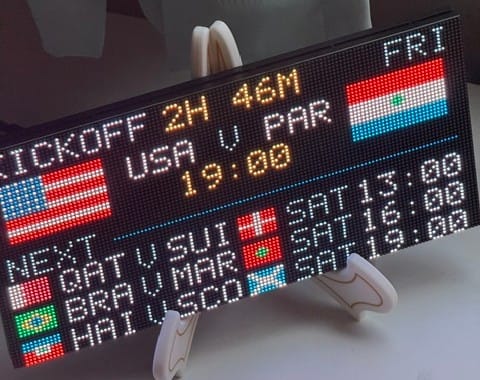
During the game, you get an up-to-date score display and timer.
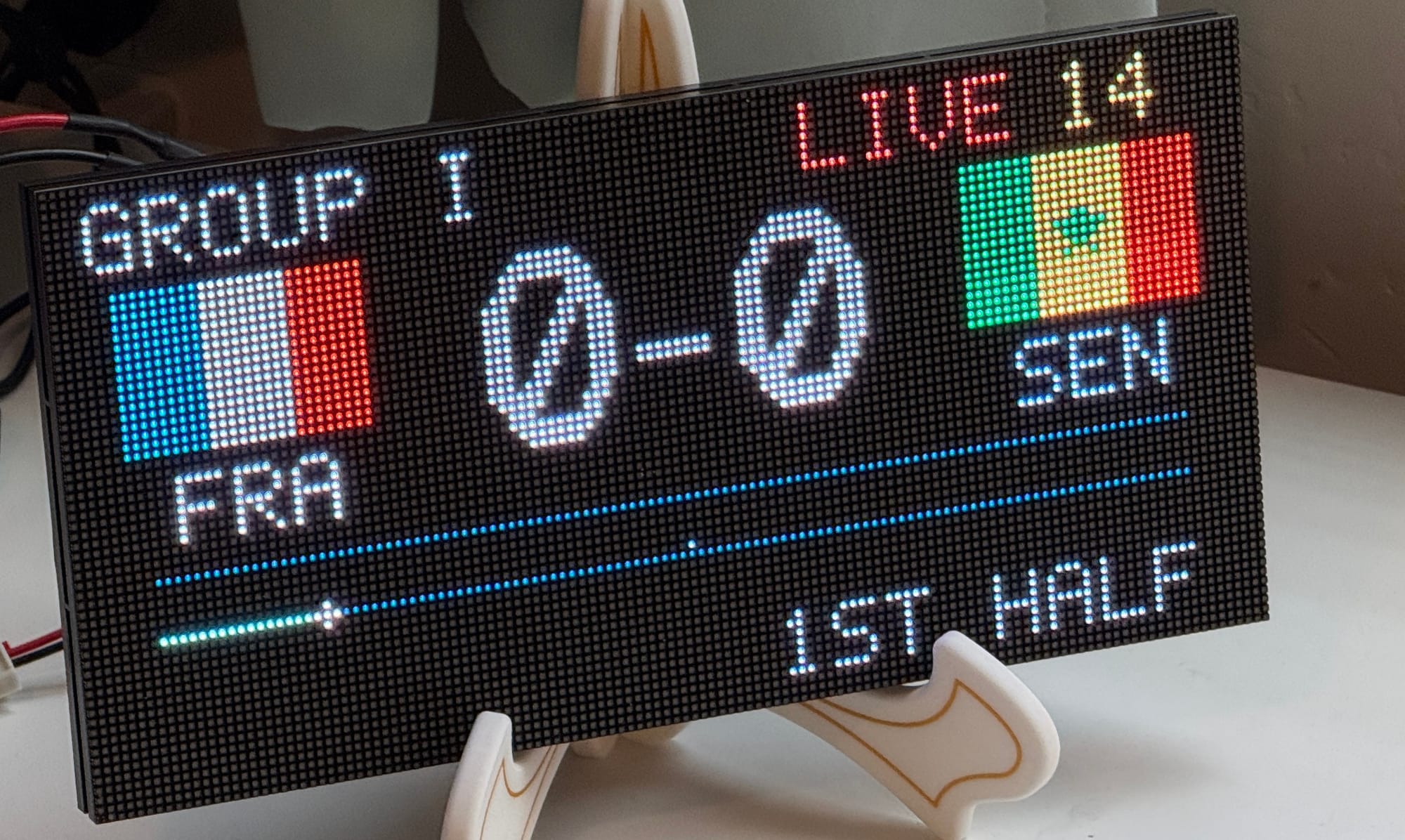
Since I'm more or less a neutral observer, I made a goal animation that plays for every team that scores (even if I'm cheering for the other team).
Fixing the flags
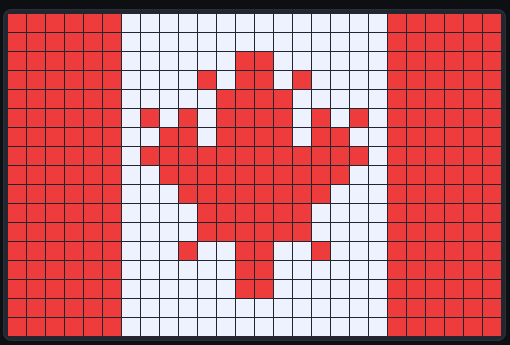
I went through multiple iterations of having AI generate pixel versions of the flags, and... it was okay. As you can see in the screenshots above, they were close, but even simple flags (like the Swiss flag) were off by enough that it needed to be fixed. And the Canada flag was really terrible (see the screenshot below).
After a few attempts to get Claude to generate decent flags, I gave up on that had it give me a pixel editor (giving me KidPix flashbacks). The display uses 3 different flag sizes (I should probably cut it down to two, but I've got the flags, now).
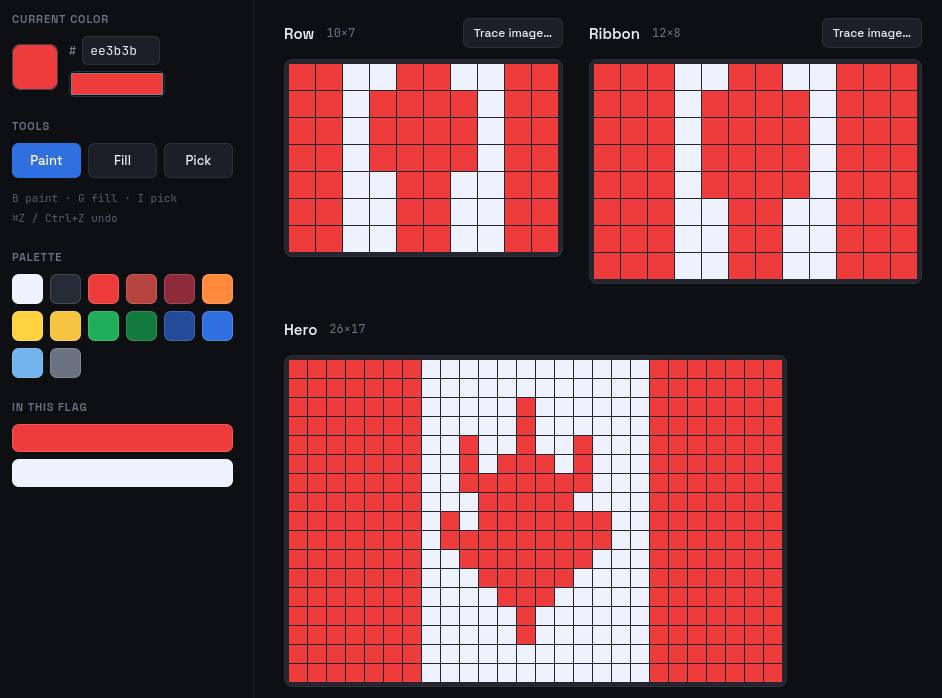
My kids love drawing and art, so they jumped at the opportunity to fix these flags. Basically every flag but the tri-color flags and the simple Scandinavian cross flags needed some work.
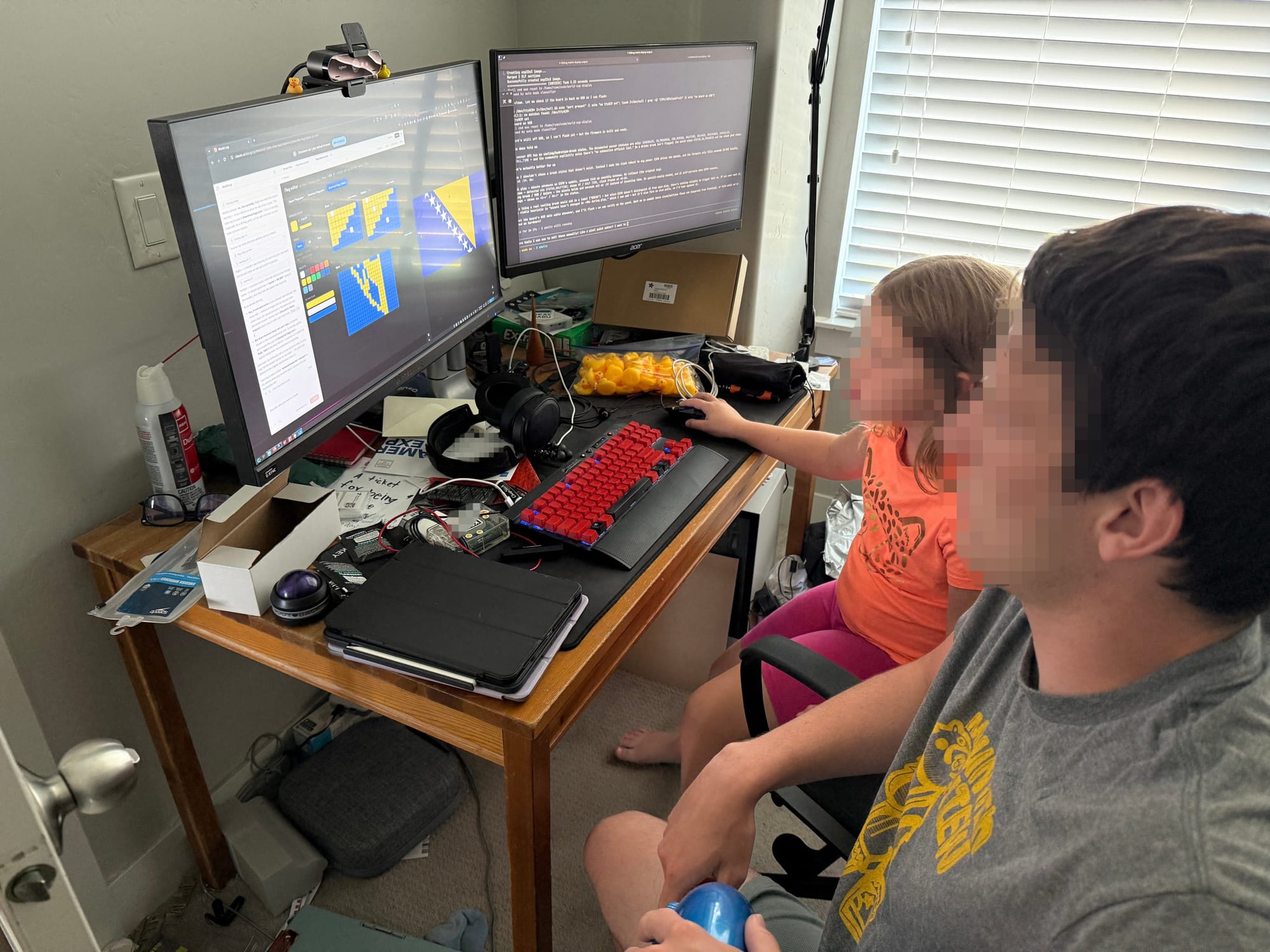
My son Hyrum took the lead and ended up fixing about 36 flags, including a much improved maple leaf.
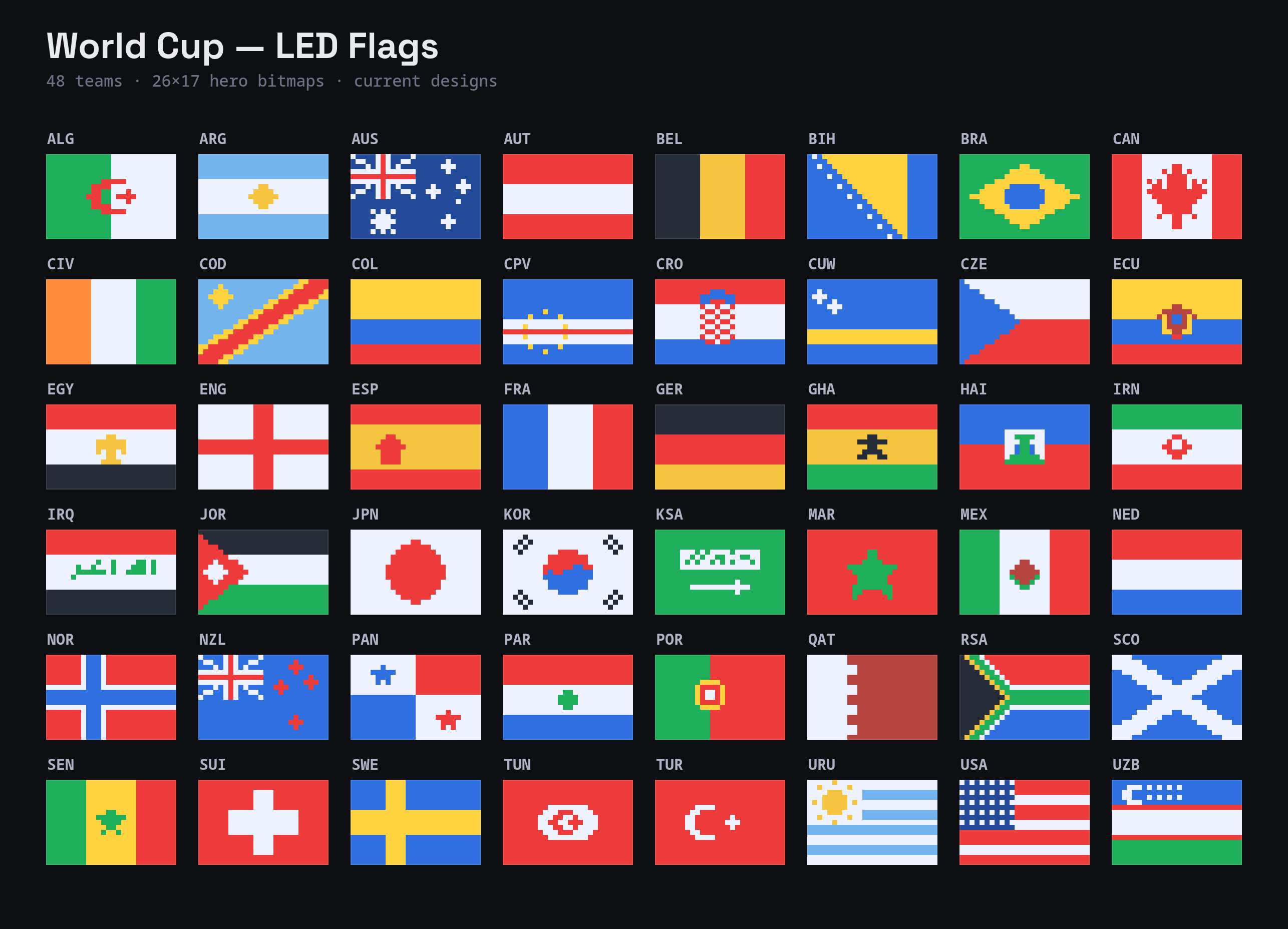
Here's the full set. I'm sure some could be better, but overall they're significantly improved from the AI drafts, and they look even better on the display!
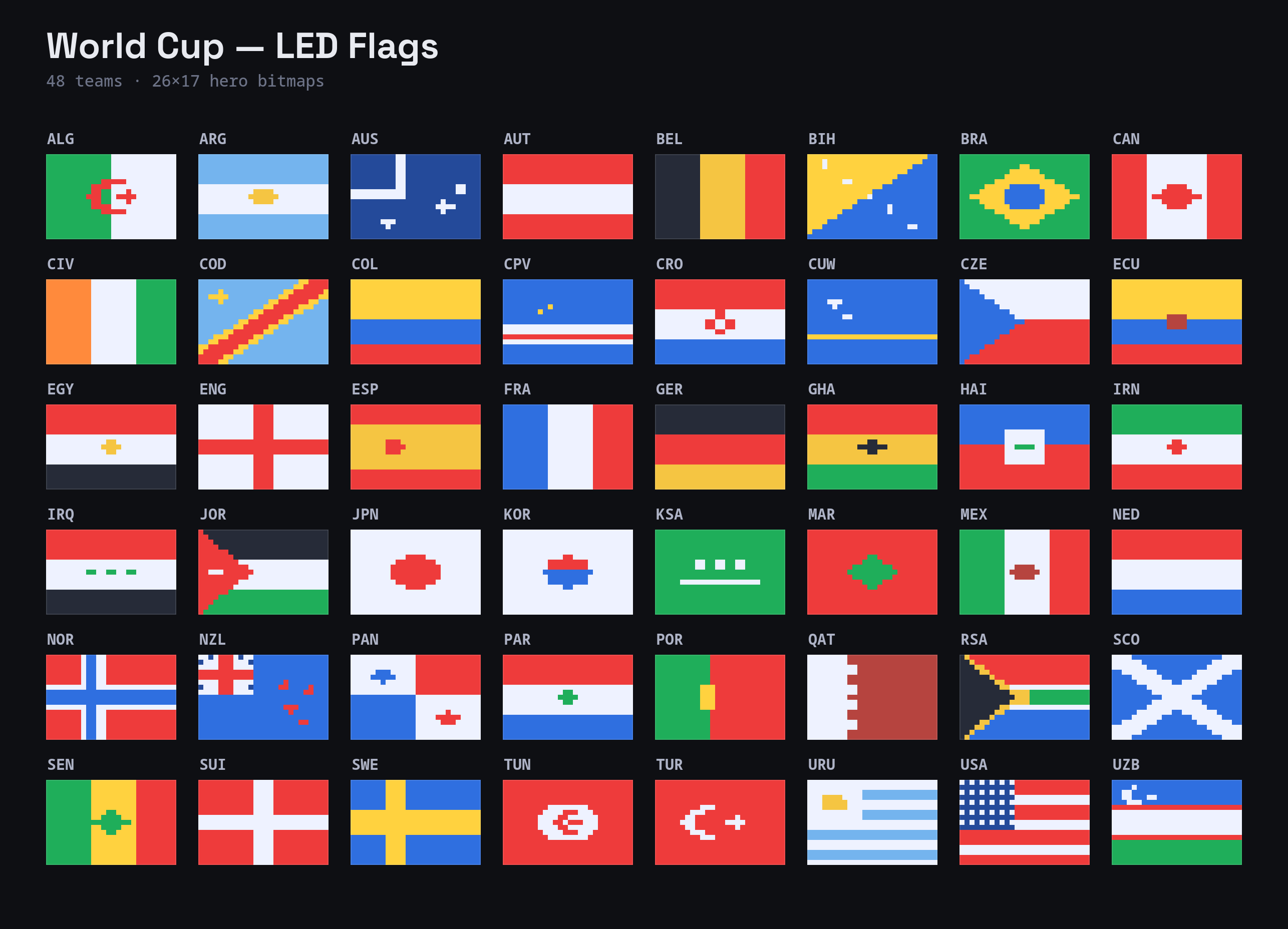
And here's the originals (just look how bad Australia was!):
Fonts
Most of the display just uses a 5x7 pixel font design. That works great when things are small, but the larger text didn't look great. And like with the flags, AI did a terrible job coming up with a good-looking larger font, so I did some searching and found Geist Pixel (https://vercel.com/font?type=pixel), and font designed to look like it's pixels, even including round and grid pixel variants. It's a 19-"pixel" high font, so I used Claude to convert that into an actual 19 pixel high font, and now the score display shows beautifully at that size.
Parts list
- Software: https://github.com/rschuetzler/world-cup-display
- 128x64 LED Matrix display (https://www.adafruit.com/product/6484)
- Matrix portal S3 (https://www.adafruit.com/product/5778)
- Power supply (https://www.adafruit.com/product/1466)
- 2.1mm jack (https://www.adafruit.com/product/368)